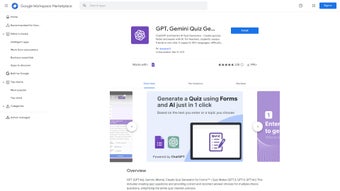

Download GPT Quiz Maker – AI‑Powered Quiz Creation Tool for Educators
Educators today face the dual challenge of delivering high‑quality instruction while also managing the time‑intensive process of designing assessments. GPT Quiz Maker steps in as a modern, AI‑driven solution that removes the bottleneck of manual quiz creation. By harnessing the power of OpenAI’s GPT‑4, this web‑based application enables teachers, trainers, and e‑learning developers to generate fully‑featured quizzes in seconds, freeing valuable classroom minutes for interactive teaching and personalized feedback. Whether you are preparing a quick review worksheet for a high‑school biology lesson or building a comprehensive certification exam for an online course, GPT Quiz Maker offers a secure, reliable, and user‑friendly platform that adapts to any curriculum, language, or device.
Overview
GPT Quiz Maker for Forms is a cutting‑edge web application that brings the power of OpenAI’s GPT‑4 directly into the classroom. Designed for teachers, trainers, and students, this tool automates the creation of quizzes, assessments, and practice tests with just a few clicks. By entering a topic, choosing a difficulty level, and specifying the number of questions, users receive a fully‑formed quiz that can be instantly exported to Google Forms or downloaded as a CSV file.
The platform supports multiple languages, offers a variety of question types—including dropdowns, checkboxes, and multiple‑choice—and even allows on‑the‑fly editing before finalizing the quiz. Whether you need a quick review sheet for a high‑school biology class or a comprehensive exam for an online certification course, GPT Quiz Maker streamlines the workflow, reduces manual effort, and ensures consistency across all assessments. Its AI‑driven engine analyses supplied text or outlines to generate relevant, pedagogically sound questions, making bulk question creation faster than ever before.
The result is a secure, reliable, and user‑friendly solution that helps educators focus on teaching rather than paperwork. In addition to the core quiz‑generation capabilities, the service includes analytics dashboards that track usage patterns, question difficulty distribution, and student performance metrics, allowing instructors to refine their teaching strategies based on data‑driven insights. The platform’s commitment to privacy is evident through end‑to‑end encryption, strict data‑retention policies, and compliance with GDPR and FERPA standards, making it a trustworthy partner for schools, universities, and corporate training departments alike.
Key Features & Benefits
- AI‑Generated Questions: Leverages GPT‑4 to produce accurate, context‑aware quiz items.
- Customizable Parameters: Choose topic, difficulty, number of questions, and answer options.
- Multi‑Format Support: Includes multiple‑choice, true/false, dropdown, checkbox, and short answer types.
- Language Flexibility: Generates quizzes in English, Spanish, French, German, and many other languages.
- Seamless Google Forms Integration: Directly push generated quizzes to Google Forms for instant sharing.
- Editable Output: Review and modify AI‑created content before publishing.
- Bulk Generation Mode: Create hundreds of questions in seconds for large‑scale assessments.
- Secure Cloud Processing: All data is encrypted and never stored permanently without user consent.
- Responsive Design: Works on desktops, tablets, and smartphones for on‑the‑go quiz creation.
- Regular Updates: Continuous improvements and new question templates added monthly.
The combination of these features means educators can dramatically reduce the time spent on test design while maintaining high educational standards. By automating repetitive tasks, GPT Quiz Maker frees up valuable classroom time for interactive learning and personalized feedback. Moreover, the AI’s ability to adapt to various curricula ensures that the generated questions align with specific learning objectives, making it an indispensable tool for both traditional schools and modern e‑learning platforms.
Each feature is built with scalability in mind; for instance, the Bulk Generation Mode can handle up to 10,000 questions per session, ideal for district‑wide assessments or corporate certification programs. The multi‑language engine not only translates static text but also adapts cultural nuances, ensuring that questions are contextually appropriate for diverse learner populations. The seamless Google Forms integration eliminates the need for manual copy‑and‑paste, automatically mapping AI‑generated questions to form fields, answer keys, and feedback sections.
Security is a cornerstone of the platform: all data travels over TLS 1.3, and the optional Docker deployment offers an air‑gapped environment for institutions with strict compliance requirements. Regular updates are delivered through a continuous‑integration pipeline, guaranteeing that users always benefit from the latest AI model improvements, bug fixes, and new question templates without any downtime.
Installation, Usage & Compatibility
Getting Started
Because GPT Quiz Maker is a web‑based application, there is no traditional installation process. Users simply visit the official website, create a free account, and begin generating quizzes immediately. For institutions that prefer a dedicated environment, the platform also offers a Docker image that can be deployed on internal servers, ensuring compliance with strict data‑privacy policies. The Docker container includes all necessary dependencies, a pre‑configured Nginx reverse proxy, and optional offline licensing that activates the AI engine without external calls. Detailed setup guides, video walkthroughs, and a community forum are available to assist IT administrators in configuring network firewalls, SSL certificates, and single‑sign‑on (SSO) integrations with Azure AD or Google Workspace.
Step‑by‑Step Usage Guide
- Sign up with your email or Google account, then verify your inbox to activate the account.
- Navigate to the “Create New Quiz” dashboard, which provides a clean, card‑based interface.
- Enter the quiz title, select a subject, or paste a text excerpt that outlines the learning objectives.
- Choose the difficulty level (Easy, Medium, Hard) and set the number of questions you need.
- Select the desired question format(s) – multiple‑choice, checkbox, dropdown, true/false, or short answer.
- Click “Generate Quiz.” The AI processes your input, referencing the latest curriculum standards, and displays a preview with editable fields.
- Use the built‑in rich‑text editor to fine‑tune wording, add hints, or insert images and multimedia where appropriate.
- Press “Export to Google Forms” for instant publishing, or “Download CSV” to import into LMS platforms such as Moodle, Canvas, or Blackboard.
- Optionally, enable the “Analytics Mode” to track student performance, question difficulty, and time‑on‑task once the quiz is deployed.
- Save the quiz to your personal library for future reuse, sharing, or version control.
Operating System Support
Since the tool runs in any modern browser, it is fully compatible with Windows 10/11, macOS Ventura and later, Linux distributions (Ubuntu, Fedora, etc.), ChromeOS, as well as mobile platforms such as Android 9+ and iOS 13+. The responsive UI adapts to different screen sizes, guaranteeing a smooth experience whether you’re on a desktop workstation or a tablet in the classroom.
For power users, the optional Docker container can be deployed on any OS that supports Docker Engine, providing an isolated environment for offline or intranet use. Detailed documentation and a step‑by‑step video tutorial are available on the support portal to help users get up and running without friction. In addition, the platform offers a progressive web app (PWA) version that can be installed on the home screen of mobile devices, delivering native‑like performance, push notifications for quiz updates, and offline caching of previously generated quizzes.
Pros, Cons & Expert Review
Pros
- Fast AI‑driven quiz generation saves hours of manual work.
- Highly customizable – works for any subject or difficulty.
- Integrates directly with Google Forms, simplifying distribution.
- Multi‑language support broadens its reach to global classrooms.
- Responsive web design ensures accessibility on all devices.
- Docker option provides offline capability for restricted networks.
- Analytics dashboard gives insight into student performance.
- Regular updates keep the AI model current and add new templates.
Cons
- Requires an internet connection for AI processing (unless using Docker).
- Free tier limits the number of quizzes per month.
- Advanced customization (e.g., custom grading logic) may need additional plugins.
- AI‑generated questions sometimes need minor factual verification.
- Learning curve for administrators configuring Docker or SSO.
Overall, GPT Quiz Maker stands out as a reliable, innovative solution for educators seeking to modernize assessment creation. Its AI capabilities, ease of use, and seamless integration with existing tools make it a valuable addition to any teaching workflow. While the free plan’s limits may prompt power users to upgrade, the pricing is competitive and reflects the sophisticated technology behind the platform. The optional Docker deployment is a game‑changer for schools with strict data policies, and the analytics suite provides actionable insights that can improve instructional design over time.
Frequently Asked Questions
Is GPT Quiz Maker completely free to use?
The platform offers a generous free tier that allows up to 10 quizzes per month. For higher volume or premium features such as bulk export, advanced AI models, and priority support, a paid subscription is available.
Can I edit the questions after they are generated?
Yes. Once the AI creates the quiz, you can use the built‑in editor to modify wording, adjust answer choices, add explanations, or insert images before exporting.
Does the tool store my data?
All user inputs are encrypted in transit and are only retained temporarily for processing. No personal data is stored permanently unless you explicitly save a quiz to your account or enable the optional cloud backup feature.
Can I integrate GPT Quiz Maker with LMS platforms?
Yes. Exported quizzes can be imported into most Learning Management Systems (Moodle, Canvas, Blackboard) via CSV or direct Google Forms links, and the platform supports LTI 1.3 for seamless single‑sign‑on.
Is there an offline version for schools with limited internet?
Schools can deploy the Docker container on a local server, allowing AI processing without external internet access. This requires a one‑time setup and a valid license, after which the container runs completely offline.
Conclusion & Call to Action
GPT Quiz Maker redefines how educators approach assessment creation. By harnessing the intelligence of GPT‑4, it eliminates tedious manual work, ensures consistent quality, and supports a diverse range of languages and question types. Whether you’re a solo teacher, a school administrator, or an e‑learning developer, this tool offers a scalable, secure, and affordable solution for modern classrooms. Ready to experience faster, smarter quiz creation? Download GPT Quiz Maker now and start generating your first AI‑powered quiz in seconds!



.png)



